A minimal sound browser.
Point it at your sample folders, type a few letters, and audition sounds instantly. Drag the one you want into your DAW.
Search, preview, rate, drag. Twelve seconds, on a loop.
What it does
Search
Word-start matching, like Ableton: kick finds 808_Kick_Sub.wav and skips Sidekick.wav. Libraries of a million files index in the background and search in milliseconds. Results keep your folder structure.
Tag filters
Typed into the search: bpm:120 also matches 60 and 240 (half and double time), key:F#m treats Gbm as the same key, rating:80+ filters by your scores. Wavs with no tempo in the name or tags get one from audio analysis.
Preview
Click a sound and it loops with a waveform. Arrow keys step through the list and play as they go. The pitch knob has a tempo-locked mode and a classic repitch mode. Drag any file straight into your DAW.
Ratings and shuffle
Score sounds out of 100. The number sits left of the filename, with an optional red-to-green tint. A shuffle button (off by default, in Preferences) plays a random sound from your search or your whole library.
Small and local
One window, no account, no telemetry. The only network request is an optional check for a new version. Add a folder and start.
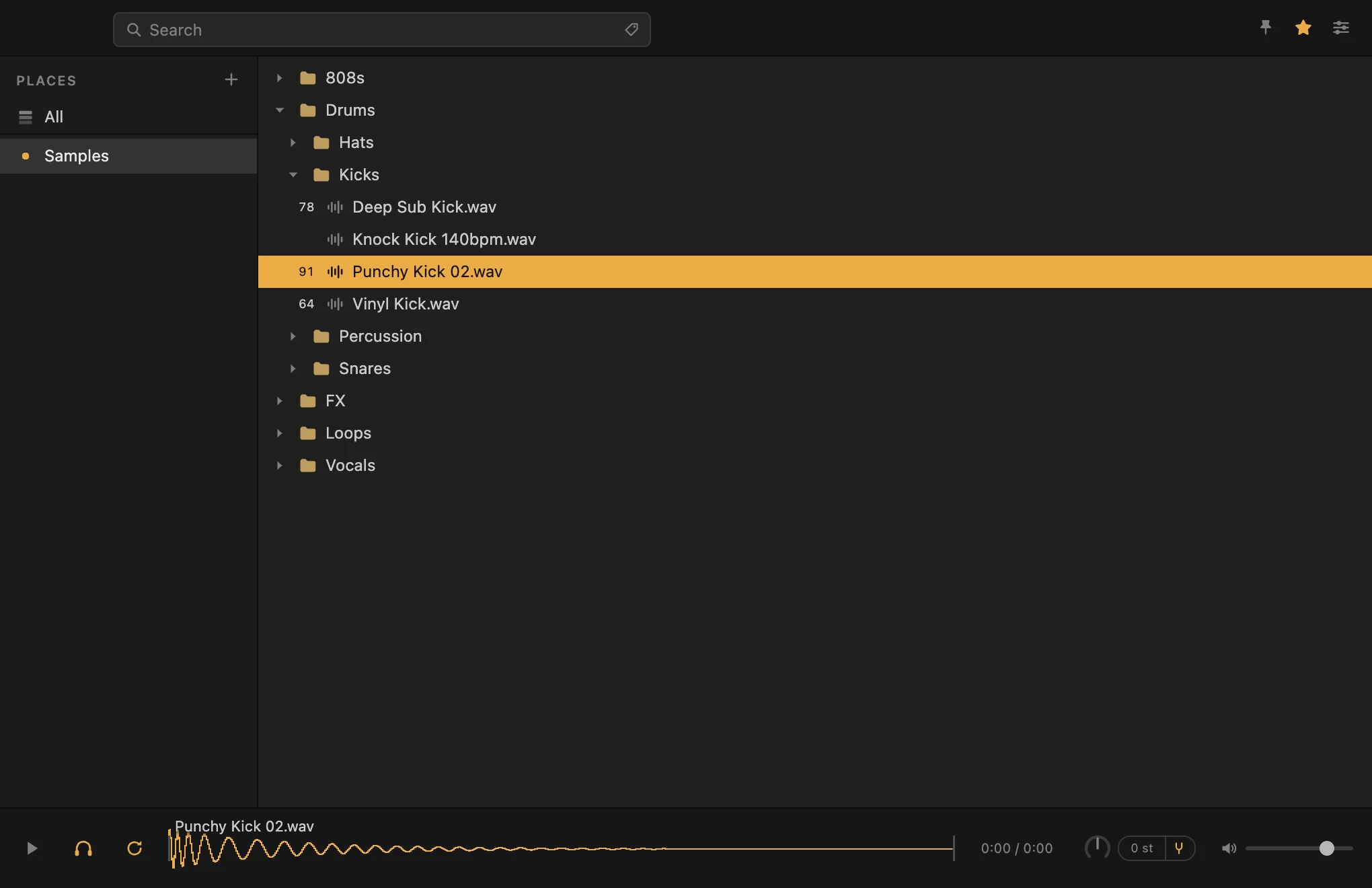
The app itself.
Download
Free. Unzip it, open it, add a folder. No installer and no account.
Mac: one universal build for Apple silicon and Intel. Windows: 64-bit. Both are zips.
The builds are not signed yet. Mac: right-click → Open the first time, or allow it under System Settings → Privacy & Security. Windows: More info → Run anyway.
Prefer the terminal?
curl -L -o ~/Downloads/SoundBrowse-mac.zip https://github.com/soundbrowse/soundbrowse-releases/releases/latest/download/SoundBrowse-mac.zip
curl.exe -L -o "$env:USERPROFILE\Downloads\SoundBrowse-win.zip" https://github.com/soundbrowse/soundbrowse-releases/releases/latest/download/SoundBrowse-win.zip